2007
10.14
10.14

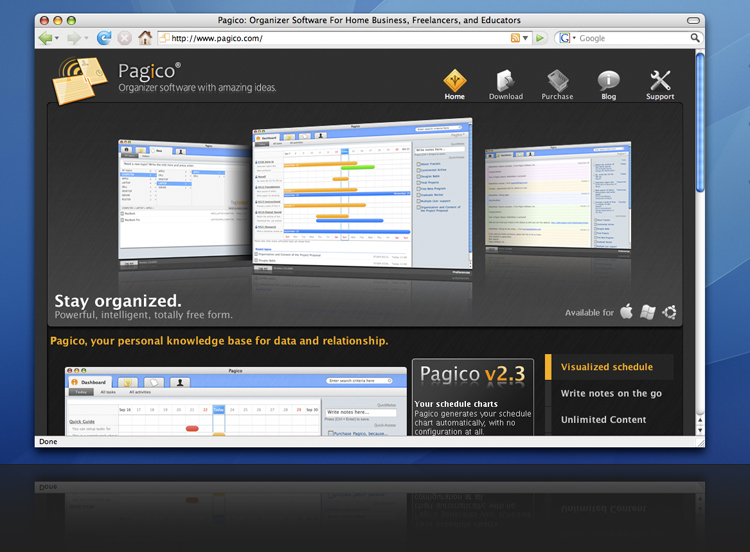
As you can see there’s a new banner in the home page. Yes, I was inspired by Apple (I know, I know).
These are three features that I used most frequently and therefore the most important features to me.
So, as the title says, what features do you use the most frequently (or the most important)?
The front-page scheduling graphic is immensely helpful in time-management—definitely a top feature.
I also really love how a topic looks when it’s printed. I love hard copies of information, so this is perfect.
Any plans for the option to print a certain Contact and all of the information related to him/her?
Hmm, printing feature for contact is a good idea, and will come true in the near future. We are still planning (or, designing) the feature.
Thanks, DNA20006!
First of all it’s the flexibility I like. Pagico does not force you to use it a certain way and it is very much up to the individual user on how to apply the functionality to ones own workflow.
Secondly the scheduling graphic which always works better than just a list of text.
And thirdly it’s the automated keyword linking of entries you make in different places.
There are of course many other things which are great!
I second that. It’s the flexibility I like! Pagico allows me to work in my own way.
Hi folks, it´s the absolut flexibility you get with this tool. The front-page scheduling graphic is great. Only if you are out of range (let´s say the dates are two weeks ago) you don´t see the missed dates. Maybe you can add a time slider or you can add a mark, that there are some open tasks / issues.
And how have you made the banner … great!
Hey Thomas:
Thanks for that one — we’ll come up some idea to make sure overdue tasks are not fading away as time passes by, until you check them.